
Scrappy is a really neat Blogger template. It was designed in 3 small columns with a big space between them, which is a feature of minimal templates. It has not very much space for text, so It was designed for people who blogs from everywhere, even from the cellphone, and don't have the time to write a lot, it's called fast blogging, or blogging on the go.
How to make the jump breaks ("Read More...") come before the "Labels" (tags) - Originally written by S✘M
Obligatory warning: Read first before attempting this nonsense. Copy and save the text, so you don't come crying.
Go to "Layout" > "Edit HTML" > "Edit Template"
Check "Expand widget Templates"
In the box, find this:
<span class='category'>
<data:postLabelsLabel/>
<b:loop values='data:post.labels' var='label'>
<a expr:href='data:label.url' rel='tag'><data:label.name/></a><b:if cond='data:label.isLast != "true"'>,</b:if>
</b:loop>
</span>
<div style='clear: both;'/> <!-- clear for photos floats -->
</div>
<b:if cond='data:post.hasJumpLink'>
<div class='jump-link'>
<a expr:href='data:post.url + "#more"'><data:post.jumpText/></a>
</div>
</b:if>
Replace it with this:
<b:if cond='data:post.hasJumpLink'>
<div class='jump-link'>
<a expr:href='data:post.url + "#more"'><data:post.jumpText/></a>
</div>
</b:if>
<span class='category'>
<data:postLabelsLabel/>
<b:loop values='data:post.labels' var='label'>
<a expr:href='data:label.url' rel='tag'><data:label.name/></a><b:if cond='data:label.isLast != "true"'>,</b:if>
</b:loop>
</span>
<div style='clear: both;'/> <!-- clear for photos floats -->
</div>
Then buy Dante Araújo a beer because you're done.
{DEMO} {DOWNLOAD}
Showcase Light - Free Premium Gallery Style Blogger Template Due to the success of Showcase, I got many great feedback on that type of template. I know that you guys like this kind of design, and some people like lighter colors than darker colors. That's why I made Showcase Light, as nice as Showcase, but light!

Due to the success of Showcase, I got many great feedback on that type of template. I know that you guys like this kind of design, and some people like lighter colors than darker colors. That's why I made Showcase Light, as nice as Showcase, but light!
Fix for the JavaScript File
Note: I have uploaded the javascript files for the thumbnails on a new server/
Just go to your Dashboard > Edit HTML. Click Expand Widget Templates, replace this line:
For this one:
After doing that, look for this line:
Save it and enjoy!
{DEMO} {DOWNLOAD}
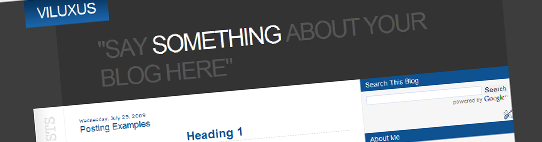
Viluxus is a deluxe template. It has a serious dark background which gives the template a professional spirit. Also it's wide post area is great for photoblogging and portfolios. It is a very organized template, really neat.
{DEMO} {DOWNLOAD}
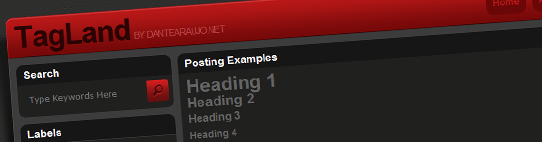
TagLand is a well designed Blogger template, It is also very organized and it's fast loading as well. Amazing for showing media content such as videos and pictures. The dark colors gives TagLand a serious looking which can be used to corporate blogging as well.
{DEMO} {DOWNLOAD}
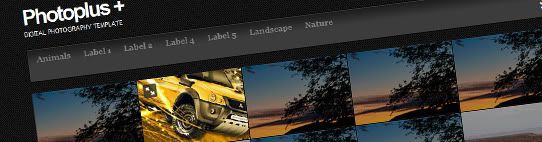
Photoplus is a great theme for photographers that want to use Blogger as a portfolio. It is really a premium template. I came up with this idea after looking trough the feedback I get from you guys. Many people ask me to create templates like this, and here is one more. This template has a premium jQuery feature called FullSize to show up a bigger version of each photo.
This template is for photography only, so if you need to show texts or anything else, It will not work.
I also would like to thank CSS Reflex for this great tutorial.
How to post on Photoplus
Your posts on photoplus should be only an image tag. This means that the title will not be shown on the main page, it has only SEO purposes. Same thing with Labels, It will serve you only to organize the main menu.
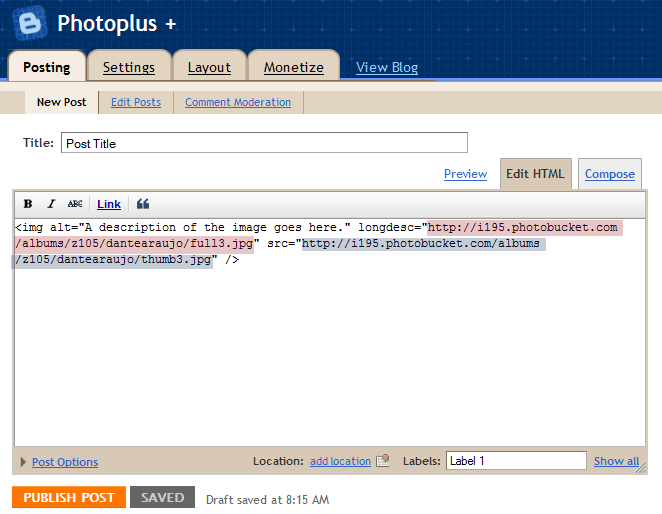
Here's the post model:
Note: The thumbnail size should be 187x128 pixels.
I recommend you guys to save it as post model, it will make your life easier.
{DEMO} {DOWNLOAD}
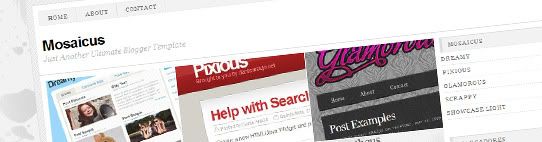
Hello everybody! Today I bring you Mosaicus, it is really a ultimate Blogger template like you have never seen before! Last week I fell in love for this template, I thought it was an awesome design, So I decided to get inspiration from it, giving my own touches to create my new template.
I got many great feedback regarding to Photoplus, I thank you all for that! The good news is that Mosaicus is like a "upgrade" for Photoplus, I took note of almost all recommendations you guys gave me, and added some new features to it, including a white and minimalistic design.
This template has a premium jQuery feature called FullSize to show up a bigger version of each photo.
Now you can show your photography, images or whatever you want even better, I have added post pages, so you can write descriptions of your work! The Fullsize feature goes on the post image, not on the main page thumbnail.
How to post on Mosaicus

Your posts on Mosaicus shouldn't be only an image tag, now you have to include a thumbnail of each image. For better understanding, look at the following post model:
Here's the post model:
<span class='thumbnail'><img src='THUMBNAIL_URL'/></span>
<img longdesc="FULLSIZE_IMAGE_URL" src="POST_IMAGE_URL" />
Note: The thumbnail size should be 229x158 pixels.
I recommend you guys to save it as post model, it will make your life easier.
{DEMO} {DOWNLOAD}
Due to the success of Photoplus, I got many comments on it, and a lot of people were asking me to make a lighter version of it, so here's it! I tried to use a different style of design, keeping it clean and minimalistic, but not less professional.
This template is for photography only, so if you need to show texts or anything else, It will not work.
I also would like to thank CSS Reflex for this great tutorial.
How to post on Photoplus Light
Your posts on photoplus should be only an image tag. This means that the title will not be shown on the main page, it has only SEO purposes. Same thing with Labels, It will serve you only to organize the main menu.
Here's the post model:
Note: The thumbnail size should be 187x128 pixels.
I recommend you guys to save it as post model, it will make your life easier.
{DEMO} {DOWNLOAD}
Since from the very beginning of this blog, I had in mind that most of people do not use Blogger just because of its "limitations", or whatever they think blogger has, so I have decided to creat unique templates that would blow people's minds not only because of their designs, but also for its many unique and out-of-the-box features.
Now I bring you a template that no one has never made for Blogger: a video template. Yes, now you guys can showcase your videos using blogger! ins't that awesome?
The fact is that I am very excited about this template, because this one may turn out in a revolution on Blogger templates, People will now see that Blogger is not as limited as they thought it was, believe me: I didn't even start describing its features yet.
I have been working on this template for the past weeks, finding a way to improve it each time I put my hands on it. The best thing was the help I have got from my gift-minded friends Abu Farhan and Aneesh (from Bloggerplugins.org). They are (seriously) the best and fastest Blogger developers that I have ever known, I am very lucky to get to work with this guys.
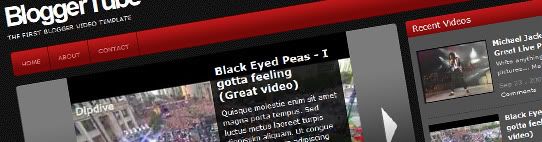
Now let me present you BloggerTube: A video template that creates a perfect link between Blogger (The best blogging tool in my opinion) and Youtube (The biggest and most used online video service on the internet).
There are many reasons for my excitement, but I can summarize them in two simple ones:
#1 - This template is totally automatic, anyone can use it, and even the most newbie guys will be able to post videos on it.
#2 - It is the first of its kind, So this will motivate me to release new version and implement new features each version.
Check out the live demo and you'll what I am talking about!
BloggerTube Instructions:
Note: A really nice user from our community (Thanks Mesothelioma) has just made this great collection of video tutorials for Bloggertuts, Please check it out, specially beginners. Make sure you watch them before asking for help!
How to post a new video on BloggerTuts
1 - You'll only need 2 things: A post sample (Please download it here and save it as post sample under your Blogger settings) and a video URL from youtube.
2 - Go to Youtube.com and grab a video URL:

3 - Now head to your Blogger dashboard and create a new post, It will open up the posting page with your previously saved post sample:

4 - Note that you have 2 important elements:
- "endofvid" - Will be used to tell the template that your video URL has finished, you should paste your URL right before it, with no spaces!
- [starttext] and [endtext] - Those are your post content wrapper, so if you need to write anything, post any picture on your post, please do it inside these two lines. This is an important step, if you write anything out of these two lines, it will not be shown on your post.
5 - Here's how the your post should looks like:

I have highlighted the important elements just for your reference, but you should not do that on your posts.
How to install the "Recent Videos" widget"
Just go to your Page Elements section, click to edit the HTML/Javascript Widget called "Recent Videos" and paste the following code inside:
<script style="text/javascript">
var numposts = 5;
var showpostthumbnails = true;
var displaymore = true;
var displayseparator = true;
var showcommentnum = true;
var showpostdate = true;
var showpostsummary = true;
var numchars = 50;
</script>
<script src="/feeds/posts/default?orderby=published&alt=json-in-script&callback=showrecentpostswiththumbs"></script>
<div class="clear"/></div>
Automatic features on BloggerTube:
Once you have made your post, BloggerTube has taken care of it, let's check it out the awesome automatic features on this neat template:
Automatic video thumbnails on home page:

BloggerTube will automatically create a thumbnail out of your video, and show it only on your home page, in a nice and organized gallery style.
Automatic embedded video on post page:

You'll get your video automatically embedded on your post page, together with your description/post below it.
Automatic slider for the last featured videos

This one may be the most cool feature of this template, it is completely mind blowing, and you doesn't even to touch the code to get it, It's already installed and running for you!
BloggerTube Highlights
Custom star ratings from js-kit.com :

Recent videos widget from Bloggerplugins.org (adapted specially for this template):

Exclusive scripts from Abu-farhan.com created specially for this Blogger video template that makes it totally awesome and intelligent.
Note: if you are experiencing any problems with the page navigations, go to your Edit HTML pade, check Expand Widget models, and replace the following url:
for this one:
 RSS Feed (xml)
